I don’t think any third party plugins are essential
- There are many third-party plugins available via the settings menu
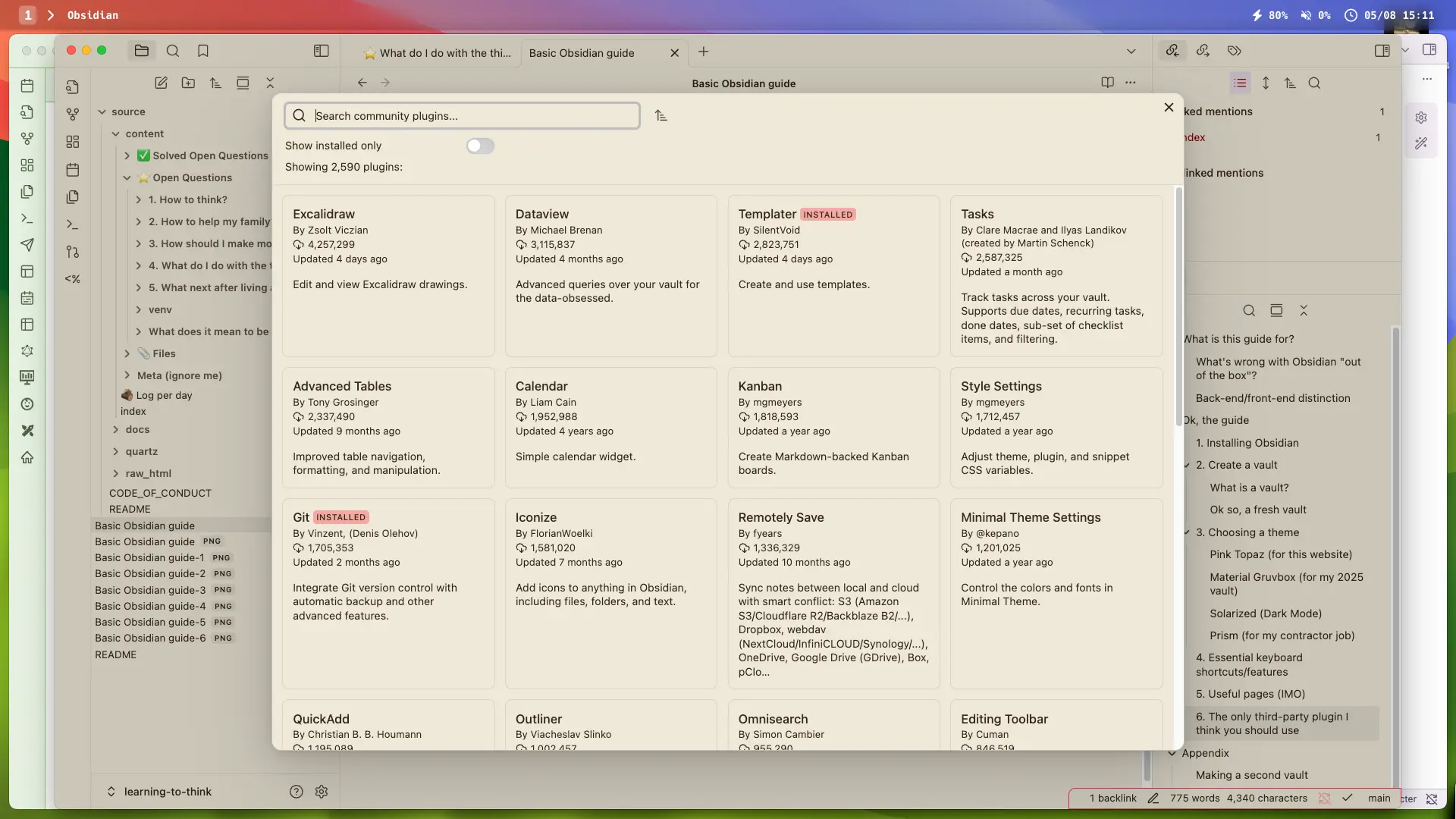
Some others I use
- You actually will need the git plugin for Quartz to work
- I recommend “scroll offset” to ensure that Obsidian auto-scrolls for you (so you’re not staring at the very bottom of your screen when you type) (there’s a typewriter plugin that does a similar thing)
You should definitely compress your images!
- The plugin “Image Converter” makes this very easy → whenever you copy-paste an image in, it’ll auto-compress it and turn it into a .webp
- Otherwise you’ll be adding like 3mb images which could be bad at some point (I actually don’t know if/when github punishes you for having too big of a repo)
- I just converted all my images to .webp format and compressed from like 500MB to ~80MB, really easy to do, you just add the plugin, right click your images folder and tell the plugin to change them to .webp
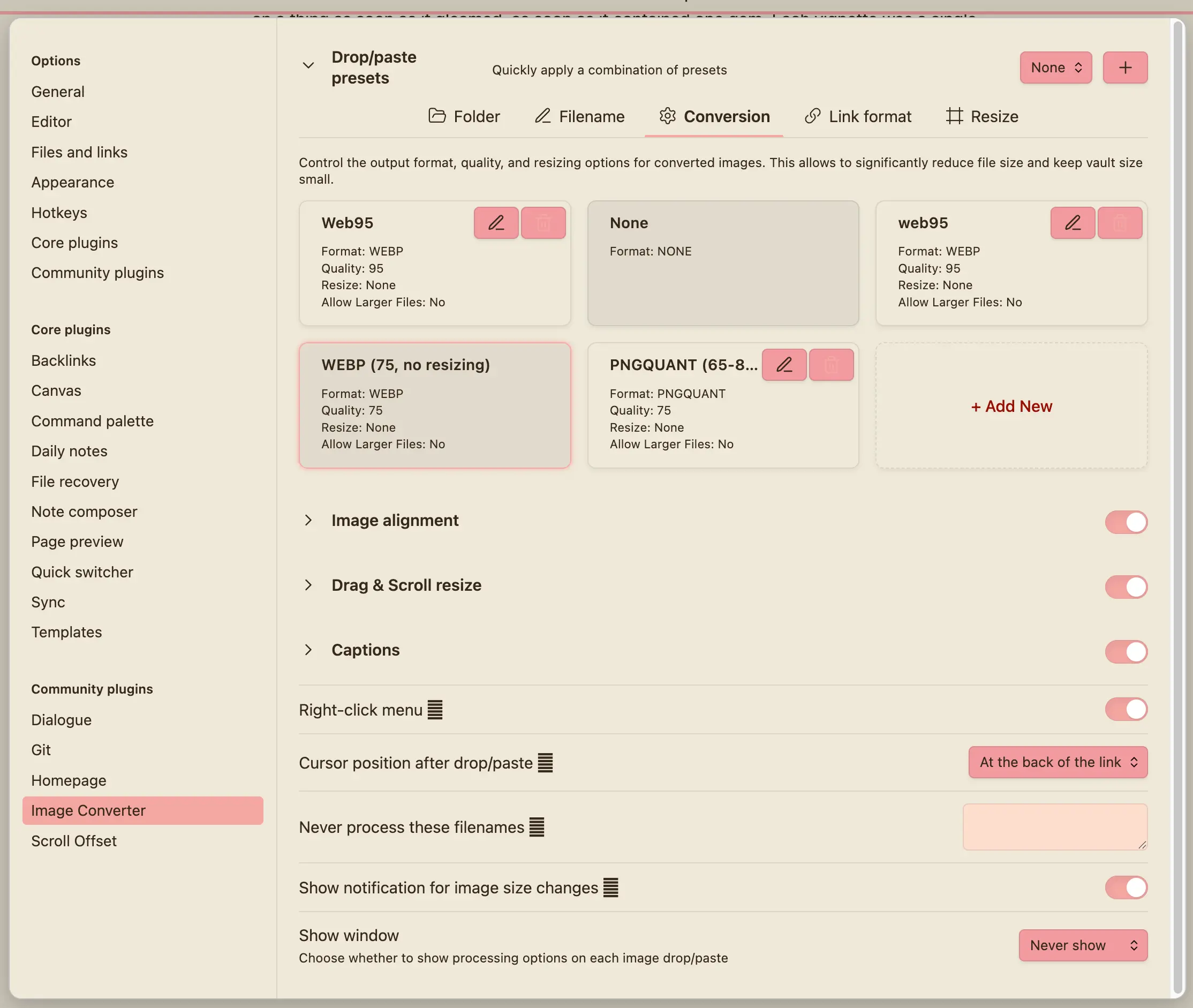
- 👆 I forget exactly how I did it, but I set it up to auto-convert all pasted images to .webp, and reduce the quality to 75% → this saves a huge amount of space, which is maybe probably useful, idk. Seems to be no noticable loss of image quality, maybe a little on screenshots. But e.g. check out Era 17 - “Life Itself” intentional community → Kensho, seems fine to me
- Screenshots look fairly shitty at 75% actually, e.g. see Not wanting to talk
- Minor thing that I changed after a few months → Also, I recommend you change the filename renaming settings so that it just renamed pasted photos as the timestamp, not the note name + timestamp, as if the latter, if you have a file and paste 10 images into it, now your search to open new notes will show all of those when you’re trying to find the file, it’s a mess